
Handling Repeating Alerts
Learn how to handle alerts from devices or systems that keep sending them until the problem is resolved. This way, you get a single alert instead of hundreds of them.
There are situations when the device or service sends us alerts repeatedly. So when the alert occurs, we receive it every minute; otherwise, nothing is coming, which means it works fine now.
By default, an external event does not correlate and triggers actions every time it is received. This is not what we need. You can switch this option off (No pending state), but the alert will require manual closing. It's better because you get only one notification at the alert start, but you won't get the notification when the problem is solved.
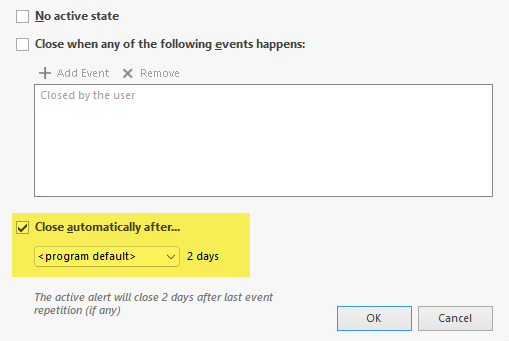
You should check the option to close the alert automatically after a given time. The time is measured since the last alert occurrence, so we need this. If the alert is repeated every minute, set the time to two or three times larger value.