
Monitoring Text Logs
NetCrunch allows monitoring text file content and has a special sensor for text logs.
Node SettingsMonitoringAdd Monitoring Sensor
NetCrunch allows two levels of monitoring of log files. Simple monitoring can be configured with file sensors (using remote windows, FTP or HTTP), which look for a specific text pattern in log files.
More advanced log monitoring is possible with Text Log sensor, which can parse the file, and then the program can collect and alert on parsed entries.
Text Log Sensor
FTP/S, HTTP/S, SSH/Bash, SFTP, Windows/SMB, TFTP
This sensor parses a file and converts each entry into a list of properties, which later can be filtered like any other type of log (Windows Event Log, syslog). This gives you more control over how alerts are triggered and allows better analysis of collected log entries in the event log.
Text Log sensor can remotely monitor large log files on Windows (tested on gigabyte files) and using SSH/Bash connection. Unfortunately, FTP or HTTP requires whole files to be downloaded.
NetCrunch contains sample text log formats and allows defining custom formats using text parsing expressions.
Text Log Parsing Expressions
Settings Resources Text Parsing Expressions Text Log Expressions
Separated Values (CSV)
Best suited for simple log formats where each line contains fields separated by a single character.
For example, such a line can look like this:
11/19/15 7:20:38 am,Information,Monitor started
And we can define that the program should convert this to fields:
- Time
- Severity
- Message
Regular Expressions
In the case of logs where there is no separator between fields, we can use regular expressions. The expression must contain search groups to identify each field.
Simple example.
In this example, our log can contain a number at the beginning and then a message until the line's end.
10345 : Error during loading module.
Expression:
([0-9]*) : (.*)
We can define two fields to manage such log:
- ProcessId
- Message
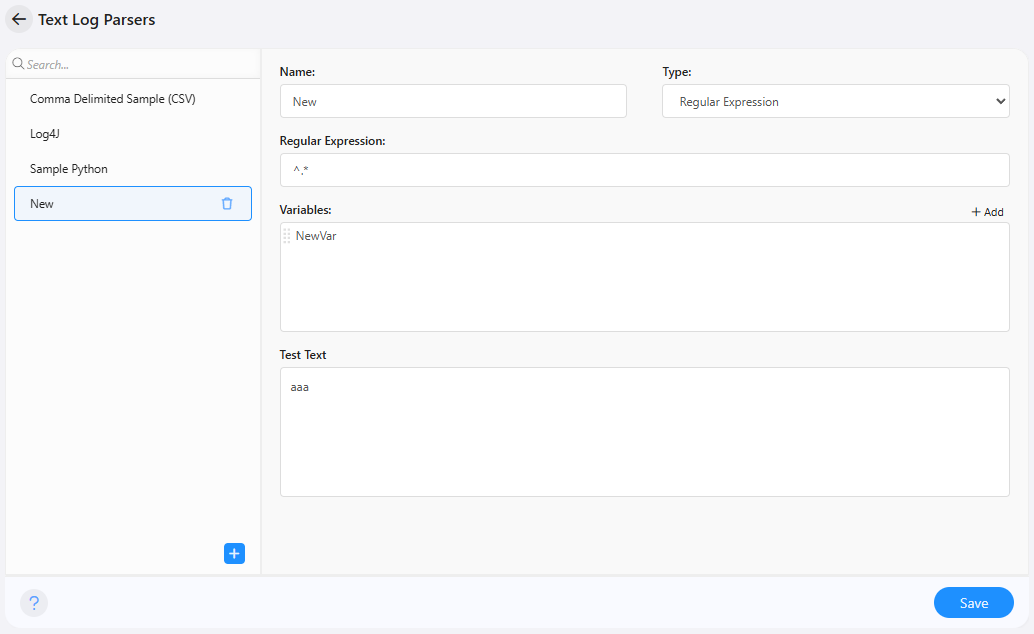
Parsing expression editor allows immediate testing of your expressions:
Log4J Log Format
This is a widely used log format by Java programs. It's a good example of using regular expressions to monitor the log entries.
Apache Log Format Expression
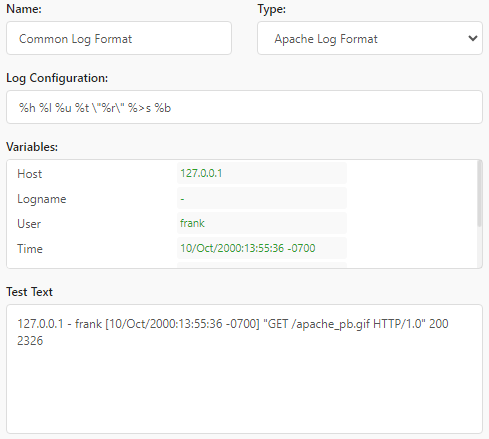
Apache logs can be formatted using special formatting strings. NetCrunch can reverse-engineer these formats to parse a given log. To parse the log, you need only copy the log format string from the configuration and put it into NetCrunch expressions.
Javascript Expression
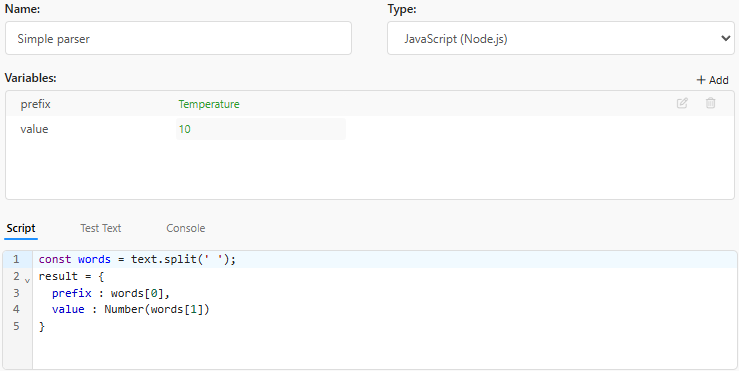
You can write a simple code to parse input text.
Prerequisites
- input text is in text variable
- The output object is the result variable, and its properties should match the defined variables
- you have to add each variable name to the list of variables
Alerts
- Authentication error
- Connection error
- File read error
- File access error
- File does not exist
- File exists
- File has been updated within a given time range (file age)
- File is empty
- File is not empty
- File modified
- File updated too often (file age)
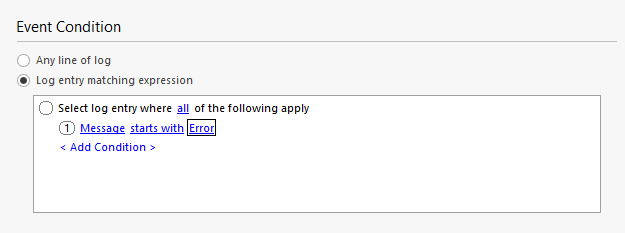
- Alert on the text log entry
For example, for our simple log, we can define an alert:
Counters
The program can also trigger an alert on the following performance counters:
- Text Log.Sensor.Check Time
- Text Log.Properties/Log Entries Processed
- Text Log.Properties/Size