
Business Service Views
A view type that draws a business service as a diagram, built automatically from a composite status and the elements it depends on.
AtlasAdd View
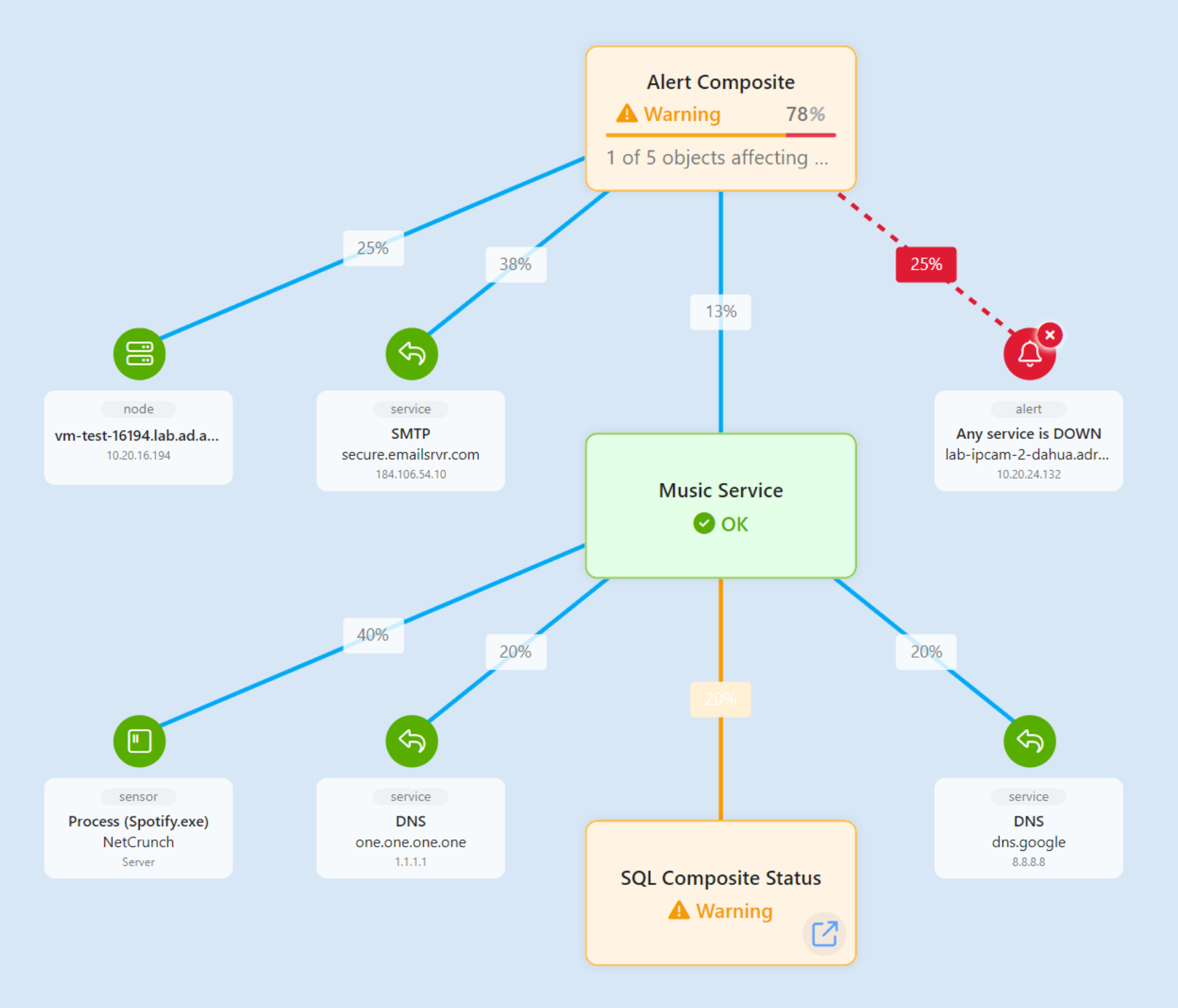
A Business Service View turns a composite status into a picture. Where the composite tells you a service is in Error, the view shows you the shape of the service and which part of it went wrong — the elements it depends on, drawn as widgets, connected by lines to the service they support.
Nothing about the diagram is drawn by hand. The view is generated from the composite status you give it, so it stays accurate as the service definition changes.
The layout is not adjustable either. Widgets cannot be moved, resized or rearranged, so the diagram always shows what the service definition produces rather than what someone last dragged it into. If the shape is wrong, the composite status is what to change — see Composite Status.
Creating the View
A Business Service View needs a composite status to describe, so create that first.
- Create a composite status for the service, with its elements arranged into groups. See Composite Status.
- Add a view and choose Business Service View. It is not on the wizard's first page — it sits under Graphical Data View → Panel-Based View, because it is a kind of dashboard. Holding Ctrl while clicking the plus button reaches it in one click.
- Pick the composite in Composite Status Node. It becomes the root of the view, and its name is offered as the view's name.
The root is fixed once the view exists. Nothing repoints a Business Service View at a different composite status afterwards — to describe a different service, create another view.
The root's elements are drawn as widgets beneath it — a status object widget for each monitored element, and a composite status widget for each nested composite.
bsv-nesting
Nested Services
A composite status can contain other composite statuses, and how a child is drawn depends on whether that child has a Business Service View of its own.
- Child has no view of its own
- The child renders inline, on the same view, together with all of its children. The whole subtree is visible in one place.
- Child has its own Business Service View
- The child renders as a link to that view. Its children are not drawn on the parent view.
This is the control you have over depth. A service with a handful of dependencies reads best drawn in full. A service that depends on three subsystems, each with thirty elements, reads better as three links — give those subsystems their own views, and the parent stays legible.
The consequence is worth stating plainly: creating a view for a child composite removes that child's detail from the parent view. If a parent diagram suddenly loses a whole branch, check whether someone gave the branch its own view.